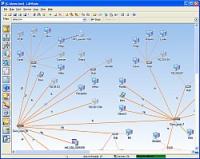
Monitor hosts, shared resources, FTP and web servers, files, folders, free space, SNMP. Get MAC addresses, scan TCP and UDP ports, be notified when devices turn on or go down. Create network map and see your network's state in visual form at any time
Monitor network hosts, shared resources, and traffic, get MAC addresses, scan TCP and UDP ports, and be notified when devices turn on or go down. Create network diagram and see your network's state in visual form at any time.
The program includes a number of features for administrators such as sending messages, shutting down and turning on remote computers, ping, name lookup, trace route, obtaining information on remote computers, creating reports, etc. LANState does not require installing any client software on the remote computers on your network.
Main features:
1. Modeling a local area network diagram in a visual mode and then saving the result as a map with images.
2. Monitoring hosts (ICMP ping and connecting to TCP port are supported).
3. Monitoring the usage of your shared resources by other users of the network.
4. Monitoring load of your network card (incoming/outgoing traffic).
5. Searching hosts by ICMP ping or scanning TCP ports.
6. Retrieving computer's network name by its IP address.
7. Notifying on events by playing a sound, writing to log, running program, sending e-mail, etc.
8. Performing actions on devices via the configurable context menu.
9. ICMP, TCP/IP, DNS, ARP, MAC, SNMP monitoring, etc.
Requirements:Network (NetBios, ICMP, TCP, UDP must be enabled in your firewall)
Operating system:Windows XP / Vista / 7 / 8 / 2003 / 2008 / Server 2012 / 10
Limitations:30-day trial
Release notes:Minor Update

Advanced ARP spoofing detection.
Price: $20.00, Rating: 10, Downloads: 175
Download

This program displays various statistics about your Dial-up, GPRS, ADSL, LAN and so forth (TCP/IP) connections to the Internet. It can process almost all variety of tariff schemes, which are used by ISPs of different countries.
Price: $18.75, Rating: 8, Downloads: 167
Download

Recording data amount Dial-Up Networking and LAN / Router / DSL connections
Price: $0.00, Rating: 0, Downloads: 156
Download

The Managed Switch Port Mapping tool is a program that communicates with a managed ethernet switch via SNMPv1/v2c and maps the physical port connections to MAC and IP addresses of the attached devices.
Price: $199, Rating: 0, Downloads: 153
Download

Monitoring activities that are going on your employees? computer is now very easy with Network PC Monitor.
Price: $29, Rating: 8, Downloads: 144
Download 
 10-Strike LANState 8.43